Product
From data room to report, step by step
How a review runs. The AI does the reading; your lawyers check its work and decide what goes to the client.
Screens show Project Kestrel, a fictional sample data room. The companies and documents do not exist.
Step 1 · Data room
See what arrived, and what is still missing
From day one, nobody compares lists by hand.
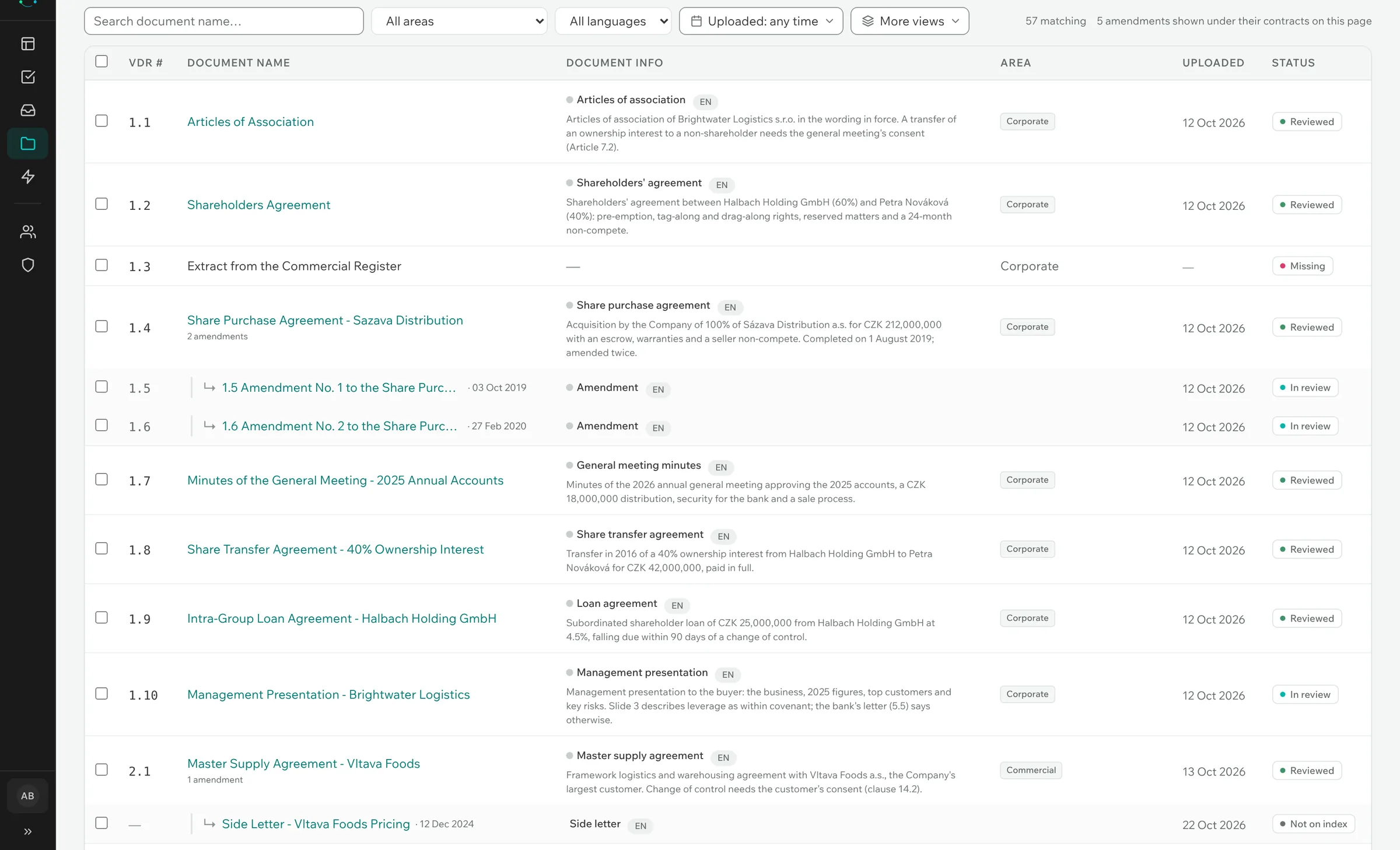
Upload the documents — or the data room's whole folder tree — together with its index. The app matches what arrived to your request list.
- Each request shows as provided, partly provided or outstanding.
- Amendments are listed under the contract they change, so nobody reviews the original agreement alone.
- Documents added later are found by the day they arrived.
- Reads PDF, Word, Excel, PowerPoint, e-mails and scans.
Step 2 · First read
Your checklist becomes a table
Your lawyers start from answers they can check, not from a blank spreadsheet.
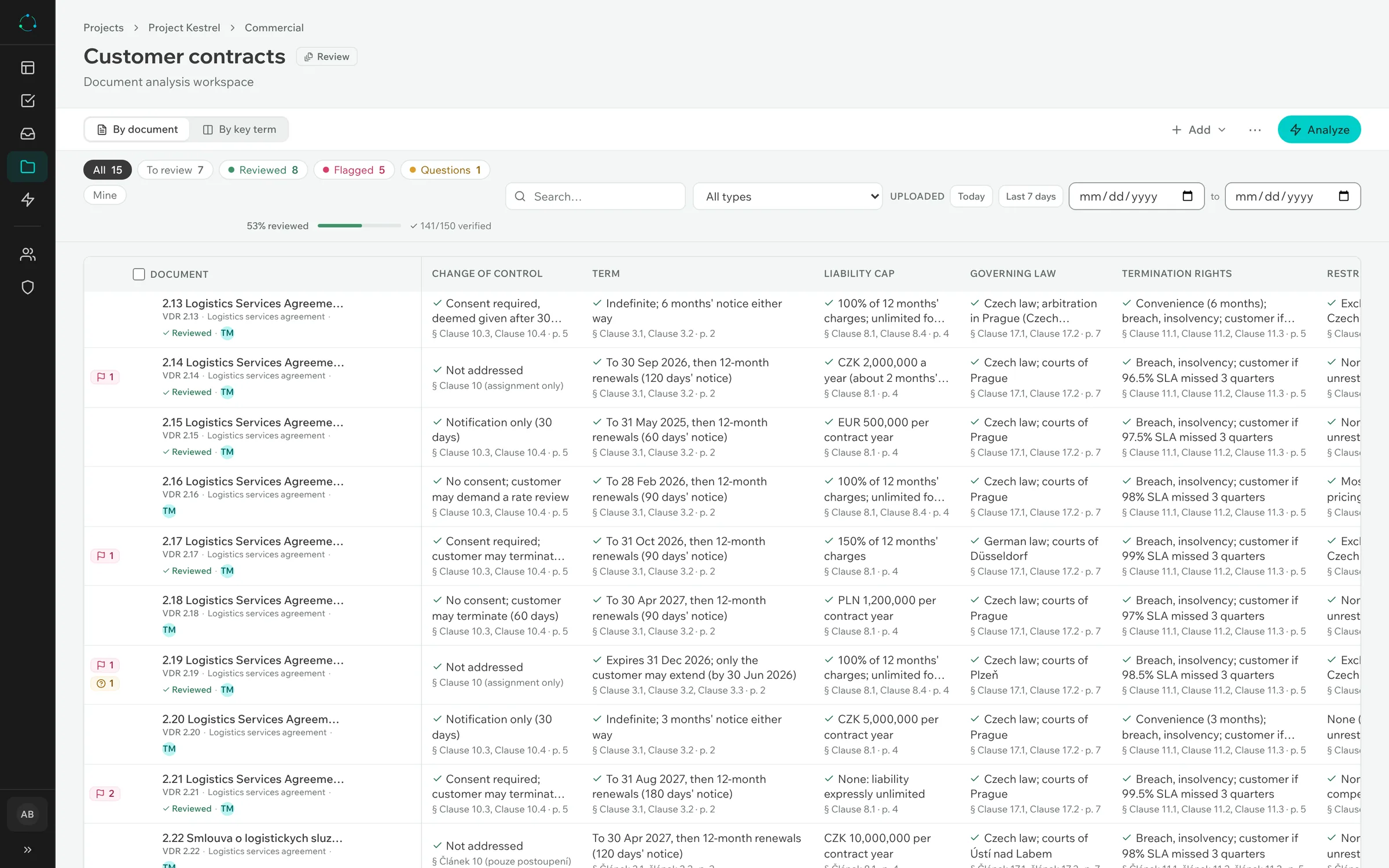
The AI sorts and summarises every document. Then it answers each point on your checklist for it: governing law, term, change of control, liability cap — whatever the deal needs.
- One row per document, one column per checklist point.
- Every answer comes with the quote it rests on.
- Use a ready-made checklist or bring your own.
Step 3 · Check
An answer you cannot check is worth nothing
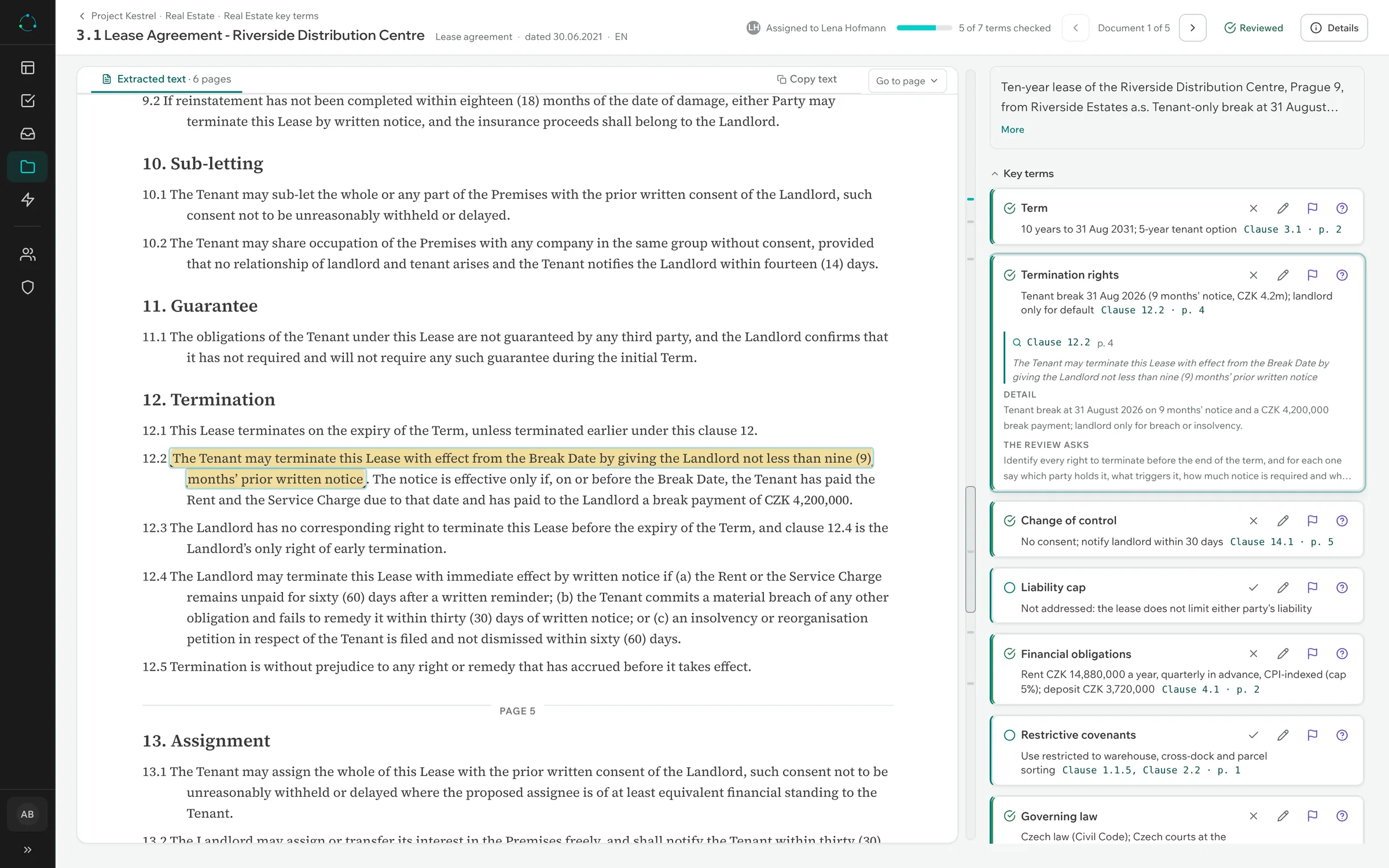
The document sits beside the answers. Click a source and the passage is highlighted in the text. The app proves the quote is there — whether the conclusion is right is for you to judge.
- Confirm one answer or the whole document, then move to the next.
- If you correct the AI, the correction is recorded, not overwritten.
- A quote that is not in the document is never shown.
Step 4 · Red flags
From a checked passage to a finding
Nothing is retyped: the passage you checked becomes the finding.
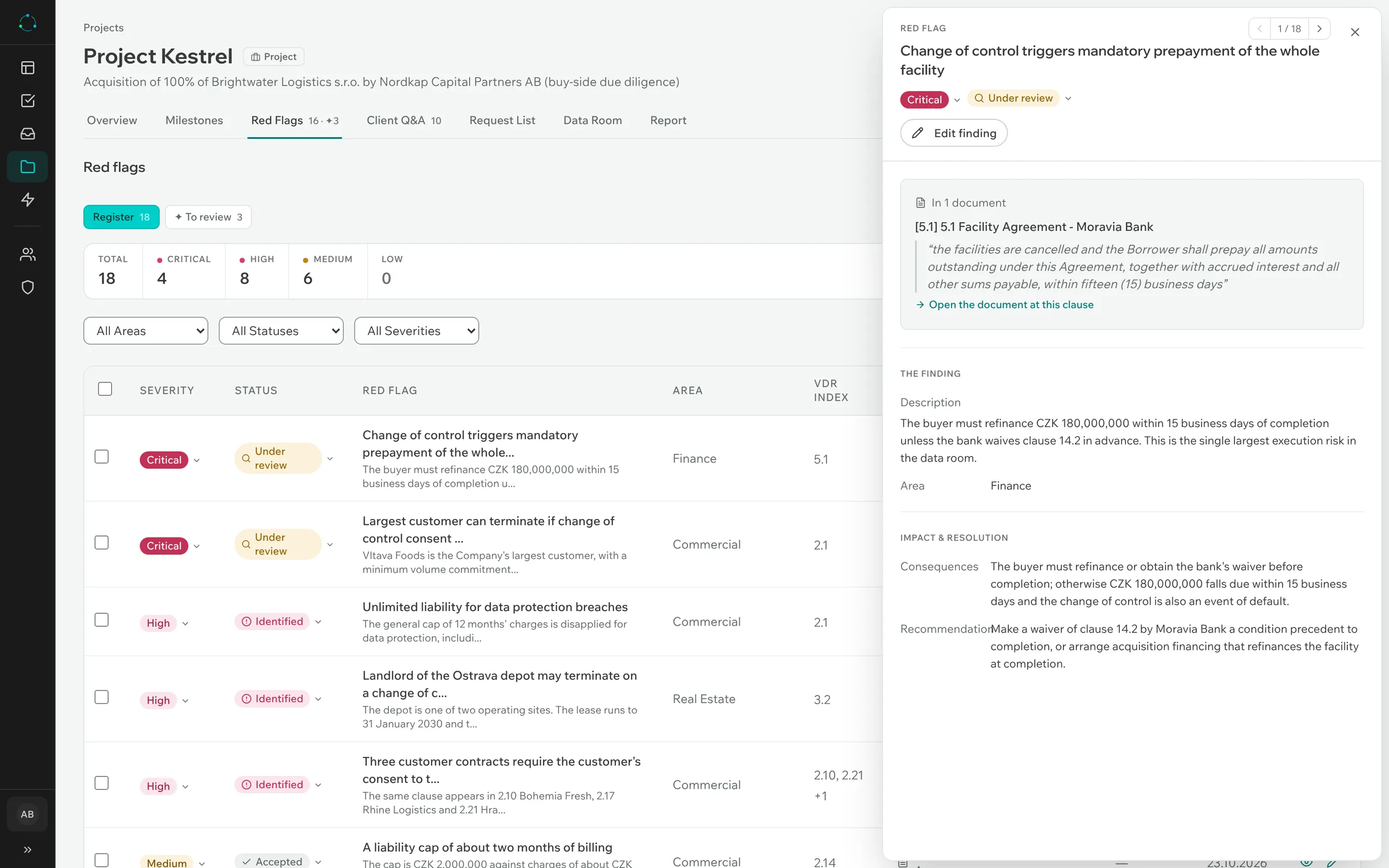
Raise a red flag straight from an answer you have checked. The AI writes a first draft with the quote attached. You edit it, and it is yours.
- An issue that recurs in ten leases is one finding, cited in each lease.
- Each red flag has a severity and a status.
- Only the lawyer responsible for the area can put it into the report.
Step 5 · Questions
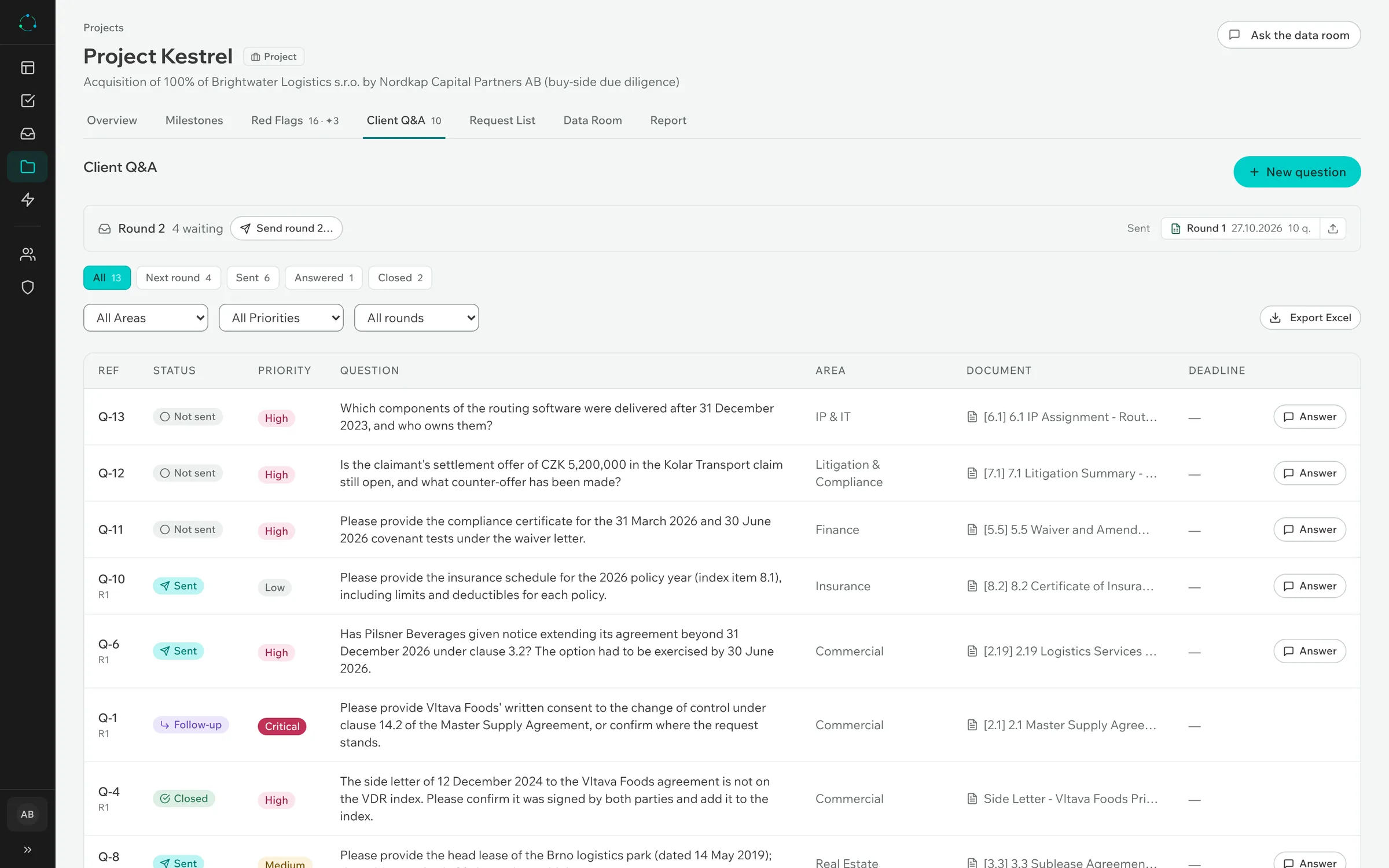
Questions to the counterparty, round by round
Raise a question from an answer you have checked, or write your own. A whole round goes to the counterparty — or to the target — as one Excel file, and the answers come back in it.
- Import the returned file; each answer is matched to its question.
- Close a question, or ask a follow-up for the next round.
- Questions still open go into the report.
Step 6 · Report
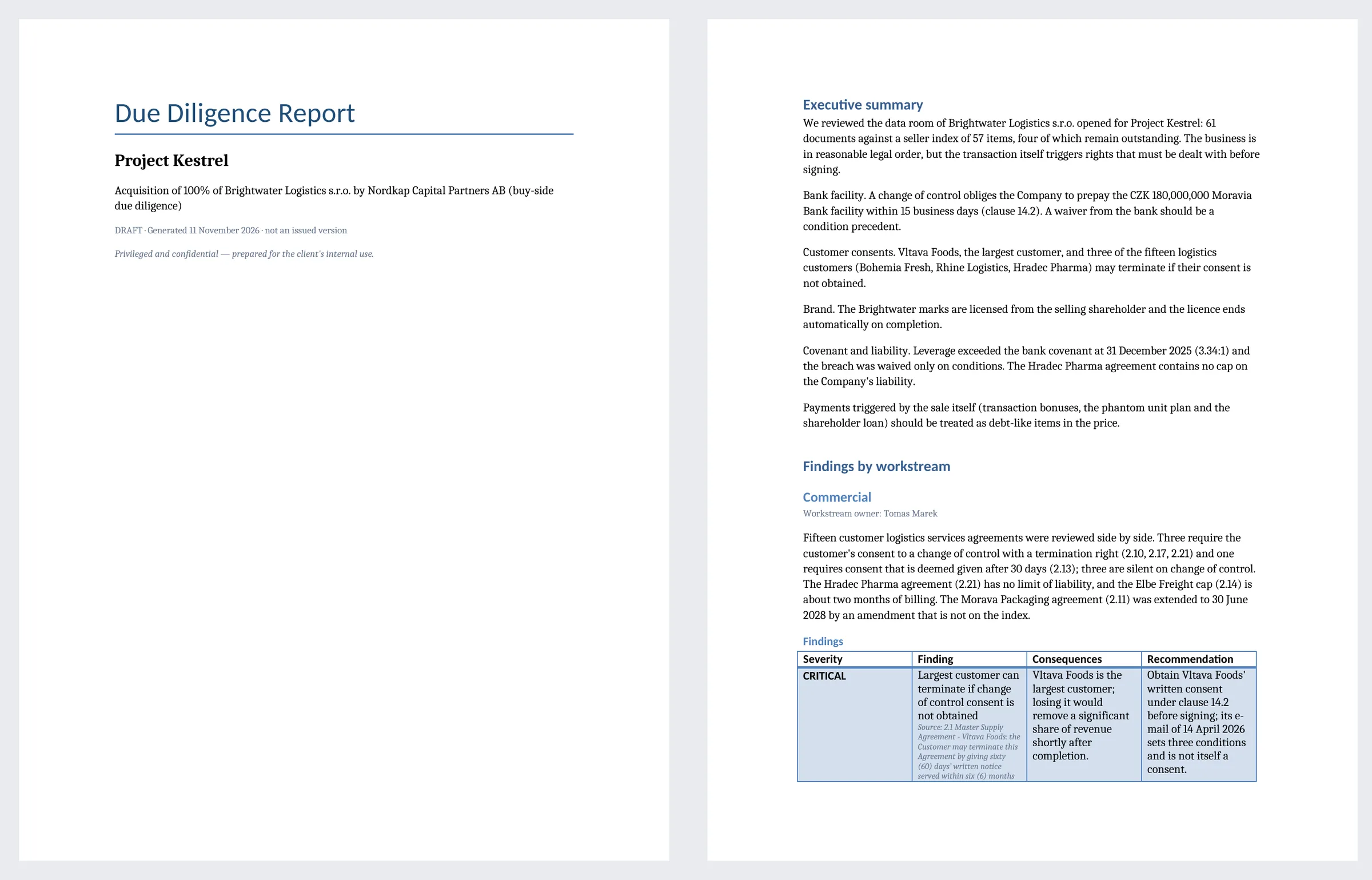
A Word report, built from confirmed work
An executive summary, the key issues and a section for each area of law, with its red flags and open questions. The AI drafts the text from confirmed findings only. Your lawyers edit it and sign it off.
- One Word file, in your own template.
- You choose the sections and the level of detail.
- Each issued version is kept, and the next one shows what changed.
At any time · Ask
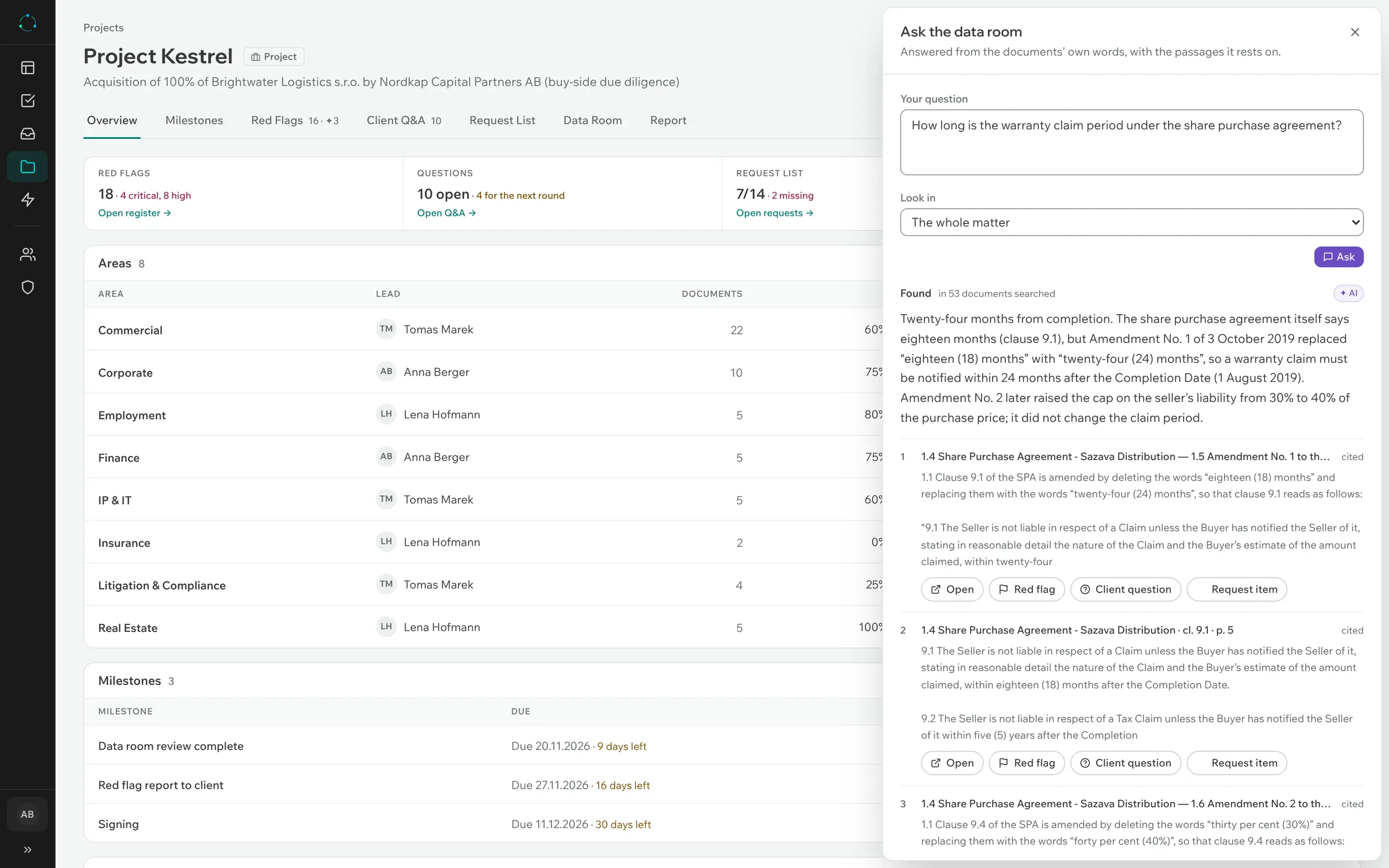
Ask a question across the whole data room
Search every document for a term, or ask a question in plain language. The answer quotes the documents it comes from.
- Every quote is checked against the document before you see it.
- An answer with no source says so.
- Use it before you have built a checklist, or after.
Fits the way your firm works
Your people, your checklists, your tools.
Clear responsibility
Each project has its own members and a lead lawyer per area. Only the lead can put a finding into the report, and the app records who confirmed what.
Your checklists, your language
Start from ready-made checklists or bring your own. Projects run in English, German, Czech or Slovak, and a data room can mix languages.
Also included
- Quick review of a stack of contracts, without a full project
- Excel export of every list
- Deadlines and tasks with owners
- Sign-in with your Microsoft work account
- A monthly limit on AI costs
- A connection for your AI assistant, such as Claude Desktop
In a datacentre in the EU, stored encrypted, with zero data retention at the AI providers and a data processing agreement.
See the security page →